If you’re using Antigravity like a standard autocomplete tool—just hitting tab and hoping for the best—you’re leaving most of its potential on the table. To get pristine, production-ready code and avoid endless debugging loops, you need to know how to guide it.
For my personal “free time” projects, I have tried to push Google AntiGravity to make useful stuff. I’ve had great success building out projects in Python, NodeJs, Angular, and DotNet. I’ve built software that writes music, an order fulfillment system, and various productivity tools. While I’ve had some success with my personal hacking, I decided to do some investigation regarding expanding impact of Antigravity CLI. Here are some tips I’ll be exploring to improve quality output when working with Google Antigravity.
If you look at this blog post from a conceptual point of view, these habits work well with other tools. Do take Google Antigravity for a spin. It has some pretty nice strengths when you explore spec driven development.
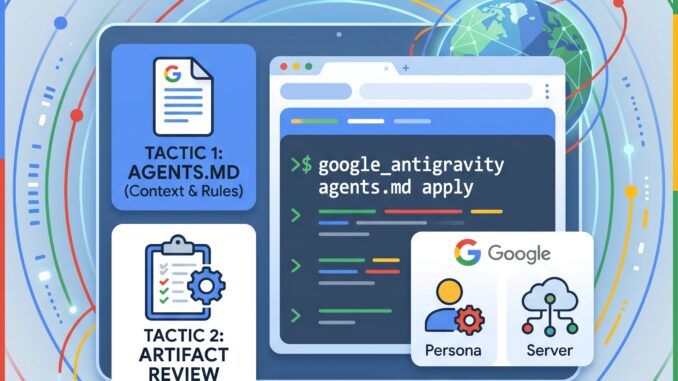
1. Anchor Your Agent with AGENTS.md
One of the most common reasons AI agents write sloppy or outdated code is a lack of local context. In Antigravity, the secret weapon for setting boundaries is the AGENTS.md file.
Placed at the root of your project, this markdown file acts as a persistent system prompt. Every time an agent spins up, it reads this file first.
What to include in your AGENTS.md:
- Tech Stack Rules: Specify versions (e.g., “Always use Next.js 14 App Router and TypeScript”).
- Styling Standards: “Use Tailwind CSS; do not create separate CSS files.”
- Testing Requirements: “Run npm test after every code change.”
By establishing these passive constraints, you prevent the agent from writing code that doesn’t fit your architecture.
2. Master the “Artifact-First” Review
When you ask Antigravity to build a feature, it doesn’t just start typing code. It operates in stages, beginning with Artifacts—which include high-level Task Lists and Implementation Plans.
[Your Request]
      ↓
[Implementation Plan (Artifact)] ←-- *STOP & REVIEW HERE*
      ↓
[Code Generation]
The biggest mistake beginners make is auto-approving the “Plan” stage just to get to the code faster.
Pro Tip: Interrogate the plan. If the agent proposes using a library you dislike, or if its database schema looks off, edit the plan directly or leave a comment on the artifact. Correcting the agent’s logic before it generates hundreds of lines of code will save you hours of debugging later.
3. Use Incremental Prompting (Stop Being Too Ambitious)
AI agents thrive on specificity. If you give Antigravity a massive, vague prompt, the output quality will degrade rapidly.
- Bad Prompt: “Build me a complete e-commerce checkout page.”
- Good Prompt: “Refactor the uploadFile function in api/upload.js to use try-catch error handling, returning a 400 status for validation errors and 500 for server issues.”
Break your major features down into step-by-step instructions:
1. Step 1: Create the database schema.
2. Step 2: Build the API endpoints.
3. Step 3: Design the frontend component.
4. Step 4: Write the unit tests.
4. Deploy Specialized Agent Personas
Antigravity allows you to change how the AI thinks by selecting different Agent Personas. Think of this as hiring specialized contractors for different parts of your project.
Before launching a task, open Mission Control and select the persona that matches your goal:
| Persona | Best Used For |
|---|---|
| Debugger | Systematic issue investigation and log analysis |
| Code Reviewer | Scanning for security vulnerabilities (SQL injection, XSS) |
| Performance Expert | Code optimization, caching, and speed bottlenecks |
| Documentation Writer | Generating clean JSDoc and README files |
5. Connect Your Dev Stack via MCP Servers
If Antigravity’s agents are the brain, Model Context Protocol (MCP) servers are the nervous system. MCP is an open standard that allows your AI agents to connect directly to external tools, databases, and APIs.
By configuring your mcp_config.json file, you can allow your agent to:
* Query your Supabase or Firebase database.
* Interact with GitHub to review pull requests.
* Send deployment notifications straight to Slack.
When your agent has direct access to your real-world development tools, it doesn’t have to guess or hallucinate API calls—it can verify them in real time.
6. Let the Browser Agent Double-Check the UI
Testing user interfaces can be tedious, but Antigravity’s integrated Browser Agent handles visual verification on autopilot. It can launch a headless Chrome instance, interact with your web app, and verify that everything looks right.
Try prompting your agent like this:
“Update the checkout button CSS to match our dark theme. Then, use the browser agent to navigate to the cart, click the button, and save a screenshot of the resulting modal as an Artifact named verification_proof.png.”
By forcing the agent to visually inspect its own work, you ensure that layout shifts, broken buttons, and console errors are caught before the code ever reaches your main branch.
Summary: Work Smart, Not Hard
At its core, coding with Google Antigravity shifts your role from a line-by-line writer to a workflow orchestrator. By setting up clear rules in AGENTS.md, reviewing implementation plans early, and utilizing specialized personas and browser testing, you can easily achieve a 95% reduction in development time without sacrificing code quality.
What are you going to build first with Antigravity? Let us know in the comments below!
References
- Google Antigravity Guide: Features & How It Works
- How to Use Google Antigravity: A Practical Guide
- 15 Essential Google Antigravity Tips and Tricks: Complete Guide in 2025 – DEV Community
- What Is Google Antigravity? Complete Guide, Features, Limits …
- Advanced Tips for Mastering Google Antigravity | Amulya Bhatia
- How to Build Apps Using Google Antigravity 2.0 AI – Geeky Gadgets
- Tips & Best Practices | Antigravity Lab
- Google Antigravity 2.0: The Complete Developer Guide (2026)
- How to Set Up and Use Google Antigravity? | GUVI Blogs
About the Author: Michael Rosario
- Blog: InnovativeTeams.NET
Related Posts
- Exploring Microsoft Agent Framework Harness
- Label Your Images with Google Cloud Functions
- Discovery Notebooks: Lessons from making an AI Notebook Project

Learn more at DevFestFlorida.com
Leave a Reply